

How to Change Your Email on Instagram for Better Account Security
Change Your Email on Instagram for better account protection as many users lose old email access after device changes.

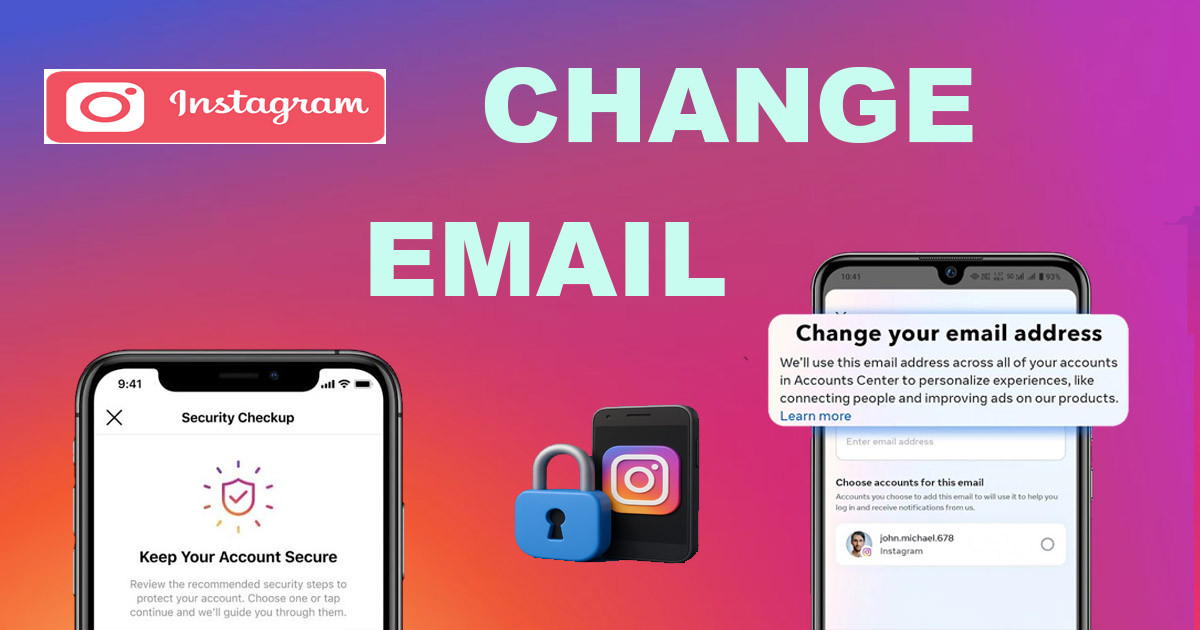
How to Change Your Email on Instagram for Enhanced Account Security
You use Instagram to share memories, connect with friends, and follow the creators you love. You likely log in without a second thought. However, the email address tied to your account is the most important piece of information you provide. If that address is old, inactive, or compromised, you leave a backdoor open for hackers. Changing your email on Instagram is one of the easiest ways to protect your digital life. An updated email acts as your primary recovery point if something goes wrong.
When your contact information is outdated, you lose your strongest defense against hackers. If a cybercriminal gets hold of your old email password, they can easily trigger a password reset on your Instagram account. They will receive the reset link, change your password, and lock you out instantly. This situation happens more often than people realize. By ensuring your email is current, you tighten your account’s defense against unauthorized access and hijacking attempts.
This guide provides a clear path to updating your email address. You will learn the exact steps to modify your contact details within the app. You will also find out why this simple change matters for your security and what to do if you can no longer access your original email. Finally, we look at extra steps to keep your account safe from future threats.

Why Changing Your Instagram Email is Essential for Security
Preventing Account Takeovers
A compromised email is a major security risk for your Instagram account. Most platforms, including Instagram, rely on email for identity verification. When you request a password reset, the platform sends a unique link or code to your registered address. If a hacker has access to that inbox, they control the password reset flow.
Hackers often target old email accounts because users rarely monitor them. If your old email is part of a previous data leak, malicious actors might already have the login credentials. Once they gain entry, they can request a password change for your Instagram profile. The reset link goes straight to them. By using a fresh, secure, and actively monitored email address, you remove this vulnerability. You make it much harder for an intruder to hijack your account.
Ensuring You Receive Important Notifications
Instagram uses your registered email to send critical updates about your account. These alerts are your first line of defense. When someone logs into your account from a new phone or computer, Instagram sends a security notification to your email. If you see this alert quickly, you can take action before the intruder changes your settings or locks you out.
Beyond security alerts, you need this email for account verification requests. If Instagram ever flags your account for unusual behavior, they will ask you to verify your identity. This process often involves codes sent to your email. If you cannot check that inbox, you might lose your account permanently. Keeping your contact information up-to-date ensures you receive these vital communications the moment they are sent.
Maintaining Control Over Your Digital Identity
Updating your email is an act of proactive digital self-care. Your online accounts are connected in many ways. A single, small security hole in an old email account can trigger a domino effect across your social media presence. When you take the time to update your email, you are auditing your security.
You regain control over your digital footprint. This is especially true if you use the same email address for multiple services. By separating your Instagram email from less secure or older accounts, you limit the damage if one service suffers a data breach. Securing this one piece of information strengthens your entire online presence. It is a simple habit that provides peace of mind.
Step-by-Step Guide: Changing Your Email on Instagram
Accessing Your Account Settings
To start the process, open the Instagram app on your mobile device. Make sure you are logged into the account you wish to update. From your home feed, tap your profile picture in the bottom right corner to go to your profile. Once there, look for the menu icon in the top right corner. This icon typically looks like three horizontal lines. Tap this icon to open the main menu, then select "Settings and Privacy." This section houses all the tools you need to manage your account details.
Locating the Email Update Option
Once you are inside the "Settings and Privacy" menu, you need to find the right sub-menu. Instagram has grouped these tools under "Account Center." Tap this option to proceed. From the "Account Center" dashboard, select "Personal details." This section shows the contact information associated with your accounts. Look for "Contact info" to see the list of emails and phone numbers currently linked to your profile. This is where you can view and edit your registered email address.
Updating Your Email Address
Now that you are in the "Contact info" section, you can change your email. Tap on your current email address. If you have not added a new one, select "Add new contact." Choose "Email" from the menu. Enter your new, secure email address into the provided field. Make sure you have access to this new inbox before you hit "Next."
Instagram will send a confirmation code to the new email address you entered. Check your inbox, retrieve the code, and enter it into the app when prompted. This step verifies that you actually own the new email address. Once verified, the app will link it to your account. You can then remove the old, inactive email from your list to ensure it is no longer used for recovery.
What to Do If You  Can't Access Your Current Email
Resetting Your Password
If you cannot access your old email, you might still be able to change your settings if you are currently logged into the Instagram app. Start by following the steps above. If Instagram asks you to verify your identity by sending a code to your old, inaccessible email, you will hit a roadblock. In this case, you should try the "Forgot Password" flow on the login screen. Even if you are logged in, try logging out to test this flow.
Choose the option to reset your password. If you have a phone number linked to your account, you can choose to receive a code via SMS instead of email. Once you regain access or confirm your account ownership, you can update your email address immediately. If you have no other recovery methods, this process becomes much more difficult.
Using Instagram's Account Recovery Process
When you lose access to both your Instagram account and your original email, you must use the official recovery process. On the login screen, tap "Get help logging in" or "Forgot password." Look for a link that says "Need more help?" or "Try another way."
Instagram will guide you through a series of verification steps. You might need to provide a video selfie or answer specific questions about your account creation date or the devices you usually use. Be prepared to wait, as this process is not always instant. Instagram reviews these requests to make sure the account is truly yours. Providing accurate information is the best way to regain access. Once you are back in, change your email address right away to prevent future lockouts.
Additional Security Measures for Your Instagram Account
Enabling Two-Factor Authentication (2FA)
Email is not the only wall between a hacker and your account. You should enable two-factor authentication, or 2FA. This adds a second layer of security. Even if a hacker guesses your password, they cannot log in without the second code. You can receive these codes via text message or use an authentication app like Google Authenticator or Duo.
To enable this, go to "Settings and Privacy" in the Instagram app. Search for "Two-Factor Authentication." Select your account and choose your preferred method. Using an authentication app is generally safer than text messages. This small step reduces the risk of account compromise by a massive margin. It is one of the most effective tools available for your online security.
Regularly Reviewing Login Activity
You should know exactly which devices have access to your account. Instagram provides a tool to monitor this. Go to "Settings and Privacy," then look for "Accounts Center." Tap "Password and security," then select "Where you're logged in."
This screen lists every device and location that currently has an active session on your Instagram account. If you see a device or city that you do not recognize, tap on it and select "Log out." This immediately kicks that session off your account. Check this list once a month to ensure your account remains secure.
Using a Strong, Unique Password
Your password is your primary barrier. Never use a password that you use for other websites. If another service suffers a breach, hackers will use those same credentials to try to enter your Instagram. Create a long password that combines letters, numbers, and symbols.
If you find it hard to remember complex passwords, use a password manager. These tools generate and store strong, unique passwords for every account you own. You only need to remember one master password to access all your others. Using a password manager removes the temptation to reuse old, weak passwords.
Conclusion
Your email address is the heartbeat of your Instagram account security. If it is old or compromised, your account is at risk of being taken over by unauthorized users. By taking a few minutes to update your email to a secure and active address, you protect your data and your digital identity.
The steps to update your contact information are straightforward. Access your profile, visit the settings menu, and replace your old email with a new one. Do not wait for a security incident to force your hand. Even if you have lost access to your current email, there are ways to recover your account and start fresh.
Combine your new email address with other essential security habits like enabling 2FA, checking your login activity, and using a unique password. These simple actions work together to build a strong defense. Perform these security checks today to ensure your Instagram experience remains safe and under your control.
What's Your Reaction?
 Like
0
Like
0
 Dislike
0
Dislike
0
 Love
0
Love
0
 Funny
0
Funny
0
 Wow
0
Wow
0
 Sad
0
Sad
0
 Angry
0
Angry
0












Comments (0)